Document ID F029
The payment plans must be fully completed by the end of the semester for which they are setup, so the earlier you can start a payment plan, lower the monthly payment will be. To setup a payment plan, follow these steps below:
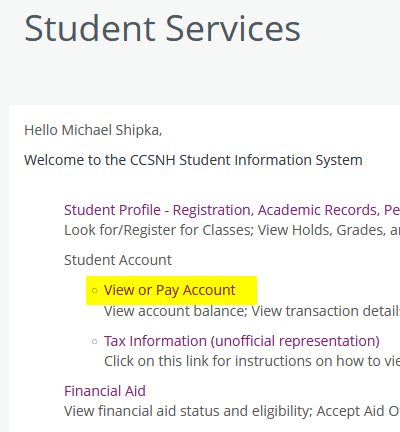
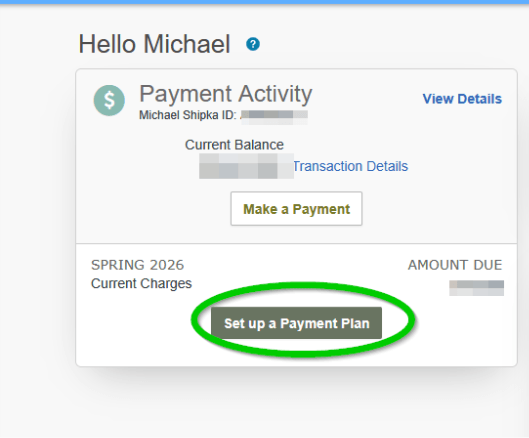
- Open SIS9 > View or Pay Account > Setup Payment Plan.
- You will then be guided through what the amounts will be, what the due dates will be, and prompted for bank account or credit/debit card information.
- Payments will be automatically processed on their due dates (usually the 5th of every month).